
Guide to kids and AI
Your kids have picked up a tool almost no adult has had time to understand. That doesn't make your job impossible, just a little different: you don't need to out-know your child on AI to be useful. You need to know where it gets things wrong and which kinds of use do no harm. This guide is everything I wish I'd known before the first talk at home.
ChatGPT's age limit is 13, and under-18s are supposed to have a parent's permission. Nothing enforces any of it beyond a birth date the child types in themselves. Three things are worth knowing: AI is exactly as confident when it's wrong as when it's right, it's trained to agree with you, and it wrecks learning when it hands out answers instead of hints. Only that last one comes with a switch. PS: to Norwegian readers fond of “KI”, sorry, it's called AI here.
Nearly all the kids are using AI, and hardly any have had help
In February 2026 the research network EU Kids Online published the first large European survey of children and generative AI. 25,592 children between 9 and 16 across 17 countries answered, and 244 teenagers were interviewed as well. Norway took part in both.
The Norwegian number is lower than most people assume: 59 per cent of Norwegian kids between 9 and 16 use generative AI. Austria sits at 94 per cent, Belgium and Italy at 89. Norway lands in Europe's lower half, alongside Ireland (40 per cent) and Spain (47 per cent). Use climbs steeply with age. The 9 and 10-year-olds barely touch AI, while the 15 and 16-year-olds account for most of it.
But the main finding isn't how many. It's who the kids have alongside them.
The kids in the survey say they learned about AI from classmates and siblings. Rarely from us parents, and quite a few say flat out that they're the household experts. The report's own conclusion is uncomfortably blunt: the kids are users, but nobody is supporting them systematically.
That's the gap this guide is trying to close. Not by turning you into an AI expert, but by giving you the few things that actually matter and are easy to do at home. If you've already had the first AI talk with your child, the most important half is done. The rest is settings and a few numbers to lean on.
And since the numbers tend to get painted darker than reality deserves: Norwegian kids are the most creative AI users in the whole survey. 36 per cent say they use it to get ideas for things they make themselves, next to 9 per cent in Croatia. The report also describes another use worth recognising: the chatbot filling the idle minutes. Kids chat with it because they're bored, the same way they'd otherwise reach for the phone.
The age limits for AI and what they actually mean
No Norwegian law sets an age limit for AI services. The limits below are the companies' own, and for the most part they're enforced by a birth date the child types in themselves.
- ChatGPT: 13, and under-18s are supposed to have a parent's permission. OpenAI now runs a system that guesses age from how the service is used and applies teen settings when in doubt. The rollout reached Europe in August 2026.
- Google Gemini: 13. Under-13s can still get access if a parent switches it on for a supervised account in Family Link.
- Microsoft Copilot: 13 in Norway.
- Character.AI: 18. The company closed its open conversations to minors on 25 November 2025.
- My AI in Snapchat: no limit of its own. It sits at the top of the chat list in the app your child already has, chosen by nobody.
- Meta AI in WhatsApp: no age limit of its own either, it follows the app, and the pattern repeats. It floats as a circle above the chat list in WhatsApp and as “Ask Meta AI” in the search field. Newer versions let you hide the circle in the chat settings, but the assistant itself can't be removed, and anyone can pull it into a group chat.
Those last two deserve a pause. For most kids, the first encounter with AI isn't a deliberate download of ChatGPT. It's a chatbot that appeared inside an app they already had. EU Kids Online points at exactly this: when the AI comes built into the services kids already use, the child isn't really the one choosing.
Age limits are floors. ChatGPT opening the door at 13 doesn't make 13 the right moment for your child.
The schools have been told to slow down
On 19 June 2026 the Norwegian government sent a clear message: as a general rule, artificial intelligence is not to be used in primary school. Six days later the Norwegian Directorate for Education and Training followed with national recommendations by year group:
- Years 1 to 7: as a general rule, pupils should not be given access to generative AI.
- Years 8 to 10: gradual, careful use, provided the teachers have built their own competence first.
- Upper secondary: pupils should learn to use AI in an academically sound way, with studies and working life in mind too.
These are recommendations, not law, and Utdanningsdirektoratet is still working out the details, including exceptions for language learning and individually adapted teaching. But the direction is unmistakable, and it hands you a useful anchor at home. If school keeps AI away from a nine-year-old so reading, writing and arithmetic can bed in first, arguing for completely different rules at home gets hard.
The AI is just as confident when it's wrong
The hardest thing about a language model isn't that it gets things wrong. It's that it gets them wrong in exactly the tone it uses when it's right.
Common Sense Media asked 1,204 American kids between 9 and 17, and only one in three understood that AI can't reliably tell fact from fabrication. EU Kids Online found the same pattern across Europe: the youngest take the answers more or less on trust, while the most digitally confident teenagers cross-check other sources and know roughly where the edges are.
That's the skill you want to build, and it's built two ways: by teaching it, and by your child catching the machine in the act.
Try it one evening. Have your child ask the AI about something they know inside out. The rules of their favourite game, the plot of the last book they read, the bus to practice. Quite often, back comes an answer that's almost right, delivered with total conviction. In two minutes your child has learned more about source criticism than ten warnings from you could manage.
It tells you you're right even when you're wrong
This is the part I knew nothing about a year ago, and it changed how I think about AI at home.
Researchers at Stanford tested eleven of the biggest language models on real conflict stories, where people had described something they'd done and asked whether they'd behaved reasonably. The models sided with the user about 50 per cent more often than humans did on the same cases, and they kept doing it even when what the user described was plainly unreasonable. The researchers call it “sycophancy”: the model flatters you and hands you the win.
Then they tested what those answers do to people. More than 1,600 participants described a conflict they were actually in. Some got replies from a model that took their side, others from one that didn't.
One conversation was enough. The people the model had sided with came away less willing to take the first step towards the person they'd argued with, and more certain they were right.
And they liked it better. Participants trusted the flattering model more and preferred to use it again.
The most available conversation partner your child has is also the one most likely to tell your child they're right even when they're wrong.
The AI isn't flattering you to deceive you. The models are trained on human feedback, and humans give higher scores to answers they like, so the model learns that agreeing pays. Not so different from people, really. It can be hard to tell whether someone is being honest or just being nice.
Now think about what a conversation partner who always takes your side means for a fourteen-year-old who has just fallen out with their best friend. The question isn't whether asking a chatbot for advice is okay. It's that the answer will probably be that the friend was being an idiot.
You can tell it to stop. Chatbots follow instructions, including an instruction to ease off the agreement, and it can be saved permanently so it covers every new conversation. It's at least as useful on your child's account as on yours.
The quick route works everywhere: paste the instruction as the first message of a new conversation, and it holds until the conversation ends. To stop repeating yourself, save it as a standing instruction, though where that lives depends on the app. ChatGPT calls it “Custom instructions” under Personalization, Gemini “Personal context”, and in 2026 Copilot gained an instruction field of its own under Personalization. My AI in Snapchat still has no such field. The steps, app by app, are in the answer on making AI stop agreeing with you.
Homework: the difference between an answer and a hint
There's one study I'd happily tuck into every school bag in the country so all the parents got to read it.
Researchers at Wharton gave nearly 1,000 Turkish high school students help with maths practice, split three ways. One group got a standard GPT-4 chat. One got the same model rebuilt as a tutor, giving hints the teacher had written instead of answers. The third got nothing beyond the textbook.
During practice, both AI groups looked brilliant. The chat group solved the problems 48 per cent better than the control group. The tutor group, 127 per cent better.
Then the researchers took the AI away and held an exam.
The chat group scored 17 per cent worse than the students who had never used AI at all. The tutor group came in about level with the control group.
Same AI model. The settings made the difference. And the crucial part: the AI helped the students solve that day's problems. It didn't help them learn anything that lasted, rather the opposite.That gives you a house rule that's easy to explain and easy to keep: your child tries on their own before the AI is let in. The struggle is where the learning happens. Afterwards the AI is welcome, as someone who asks “where are you stuck?” and helps the way a good teacher would.
And here's the practical bit: that tutor already exists. ChatGPT has a mode called “Study Mode” that asks questions and drops hints instead of serving up the answer. Since 13 July 2026, parents can turn it on from the parental controls so it's the default every time the child opens a new conversation. It's the simplest setting in this entire guide, and going by the research, the one that matters most.
When the chatbot becomes a confidant
The part that worries parents most has a piece of its own on this site: When your child confides in AI instead of you. Here I'll keep only what a guide can't do without.
The numbers first
In July 2025 Common Sense Media found that nearly three in four American teenagers had tried a chatbot built for companionship and conversation. The European numbers run lower: in EU Kids Online, 15 per cent said they use AI for advice on health and fitness, or to share worries and get support. But the report also describes who those fifteen per cent tend to be, namely kids who turn to the chatbot in stretches of loneliness, unease or vulnerability. Not a random sample.
Which is where the sections above start to sting. A conversation partner trained to take your side is not who you should be alone with when things are heavy. What's missing from that conversation isn't knowledge. It's the friction that teaches you to be heard and understood by someone who doesn't just agree.
Then one line worth drawing clearly
Common Sense Media and specialists from Stanford ran a risk assessment of the social AI companions, the chatbots designed to be a person. Their conclusion was unusually categorical: not safe for anyone under 18. Character.AI, the biggest of them, reached the same verdict six months later and closed its open conversations to minors. So companion apps aren't a discussion to have with kids. Ordinary AI tools like ChatGPT are.
Everything your child types in ends up stored somewhere
Kids share more with a chatbot than with a search box, for the simple reason that it answers like a person. A quarter of the teenagers in the Common Sense survey had shared personal information with an AI companion.
Two settings cover most of it, and both live in ChatGPT's parental controls: turn off the memory feature, so the conversations don't build a profile over time, and opt your child out of model training, so the conversations aren't used to teach the model.
Plus one rule that's easier to remember than any setting: never type in anything you wouldn't say out loud to a stranger on the bus. Full name, address, which school you go to, pictures of other people.
Setting it up together
Of the services kids actually use, ChatGPT has the most thorough parental controls. You send an invitation from your account to your child's, the child accepts, and from then on you manage the settings from your side:
- Quiet hours: times when ChatGPT can't be used. Put them where the screen is meant to be put away anyway, so the chatbot doesn't become the exception: the first hour of the morning, mealtimes and the last hour before bed.
- “Study Mode” as default: the most important one of all, for the reasons above.
- Memory off and model training off: two clicks that do a great deal for privacy.
- Image generation off and voice mode off: weigh these by age. For the youngest they're easy to turn off, while for a sixteen-year-old they quickly become a pointless fight.
- Alerts: if the system spots signs that your child may be in serious crisis, humans at OpenAI assess the situation and you're contacted by email, text and phone.
What you don't get is to read the conversations. That's a deliberate choice by OpenAI, and I think it's the right one. Your child needs a room where the embarrassing questions feel safe to ask, and your job is to be the person they'd rather ask.
One more thing belongs in the setup, and it isn't in the parental controls. Add a standing instruction telling the chatbot to speak up when it disagrees, rather than going along with you. It's set per account, so do both, and preferably together: the text sits ready further up, under “It tells you you're right even when you're wrong”.
For the other services:
- Gemini: switched on and off for the child's account in Family Link, under Controls and Gemini. Google itself is upfront that the filters aren't perfect and that Gemini can “hallucinate”, meaning present errors as facts.
- Snapchat: My AI can't be removed without Snapchat+. Treat it as part of the app when you make the Snapchat decision in the first place.
- Character.AI and similar companion apps: 18, and so not a discussion to have with kids.
- School: ask which AI systems the class uses and how they're set up. When a school licenses a system, the age limits often vanish from the terms, which means the school has set the limit on your behalf.
You don't need to know more about AI than your child. You need to know that it's wrong with total confidence, and trained to tell your child they're right.
The dialogue with the kids
“Our rule is that you try on your own first, and the AI gets to help you afterwards. It's not that I want the maths to hurt. It's that your brain builds itself in exactly those minutes when it's hard, and if you skip them, you get a correct answer tonight and nothing left for the test. So ask it for a hint instead of the answer. Then it's working for you.”
We always explain why: “Because I say so” only lasts until you leave the room.
Closing thoughts
I don't believe in keeping AI away from kids until they turn 18. My generation was handed technology nobody explained, and that went so-so. This time the knowledge exists while the kids are still small, and it would be strange not to use it.
I have changed my mind on one point this past year, though. For a long time I thought the key was teaching kids to write good questions. After the Wharton study and the Science study, I think differently: what matters most is that your child has tried on their own first, and that they know the machine is going to take their side.
So in our house, AI is allowed for homework after an honest attempt of your own, allowed for anything creative, and never the place you go with something that hurts. That last rule is the only one I wouldn't negotiate.
The toolbox
Six moves for AI at home. None of them requires knowing more than your child.
Know a parent who has no idea what their kids use AI for or how to guide them? Send them this.
Common questions
If you have read the whole article, try answering the questions yourself before you read the answers. A small test of how much has stuck.
What is the age limit for ChatGPT?
13, and under-18s are supposed to have a parent's permission. The limit is OpenAI's own, mostly enforced by a birth date the child types in themselves. ChatGPT opening the door at 13 doesn't make 13 the right moment for your child.
Is it OK for my child to use AI for homework?
Yes, after an honest attempt of their own. In one study, students who practised maths with a standard AI chat scored 17 per cent worse on the exam than students without AI, while those given hints did no worse. ChatGPT's “Study Mode” gives hints instead.
Does ChatGPT have parental controls?
Yes. You invite your child's account from yours and set everything from there: quiet hours, “Study Mode” as default so it gives hints rather than answers, memory and model training off so conversations build no profile, and image generation and voice mode off by age.
Can parents see their child's ChatGPT conversations?
No. You manage the settings, but the conversations are deliberately kept from you, and I think OpenAI got that right. Your child needs a room where embarrassing questions feel safe. If the system spots signs of serious crisis, you're contacted by email, text and phone.
Can you trust what AI tells you?
Not without checking. AI gets things wrong in the tone it uses when it's right. Only one in three children understand it can't reliably tell fact from fabrication. Have your child quiz it on something they know inside out and see if the answer holds.
Why does ChatGPT always agree with me?
Because it's trained on human feedback: people rate answers they like more highly, so agreeing pays. In one study, models sided with the user about 50 per cent more often than humans. Ask it to push back and save the instruction on your child's account.
Is it OK for my child to talk to AI about feelings?
I'd be careful. Kids who confide in a chatbot are often lonely or vulnerable, and the AI is trained to take their side. In our house, AI is never the place to go with something that hurts. Ask your child to come to you first.
Is Character.AI safe for kids?
No. The age limit is 18, and a risk assessment by Common Sense Media and Stanford found AI companions, chatbots built to be a person, unsafe for anyone under 18. Character.AI closed its open conversations to minors. Ordinary tools like ChatGPT are a different discussion.
Can I remove My AI from Snapchat?
Not without Snapchat+. My AI sits at the top of the chat list, chosen by nobody, and has no age limit of its own. Easiest is to treat it as part of the app when you decide whether your child should have Snapchat at all.
Should primary school children use AI?
Mostly not, going by Norway's guidance. The education authority recommends that Years 1 to 7 generally get no access, careful use in Years 8 to 10, and that upper secondary learns to use it. They're recommendations, and a useful anchor for the rules at home.
Sources
- EU Kids Online (12. februar 2026): European children's use and understanding of Generative AI, survey blant 25 592 barn 9–16 år i 17 land ↗
- Bastani mfl. (2025): Generative AI without guardrails can harm learning. Evidence from high school mathematics, PNAS ↗
- Cheng mfl. (2026): Sycophantic AI decreases prosocial intentions and promotes dependence, Science ↗
Show more sources (12)Show fewer sources
- Common Sense Media (8. juni 2026): AI Use by Tweens and Teens, første årlige undersøkelse, 1 204 barn 9–17 år ↗
- Common Sense Media (16. juli 2025): Talk, Trust, and Trade-Offs. How and Why Teens Use AI Companions ↗
- Common Sense Media og Stanford Brainstorm (2025): AI Risk Assessment. Social AI Companions ↗
- Character.AI (29. oktober 2025): Taking bold steps to keep teen users safe, åpne samtaler stengt for under 18 ↗
- Regjeringen (19. juni 2026): Kunstig intelligens skal i all hovedsak ikke brukes i barneskolen ↗
- Utdanningsdirektoratet (25. juni 2026): Nye råd om bruk av kunstig intelligens på ulike trinn ↗
- OpenAI (29. september 2025, oppdatert 13. juli 2026): Introducing parental controls ↗
- OpenAI (2026): Our approach to age prediction, EU rollout from 25 August 2026 ↗
- OpenAI (juli 2025): Introducing study mode ↗
- WhatsApp Help Center: About Meta AI, sirkelen på Chats-fanen og «Spør Meta AI» i søkefeltet ↗
- Google for Families: Guide your child's Gemini Apps experience ↗
- Barnevakten: Kunstig intelligens og barn og unge, oversikt over aldersgrenser ↗
Comments
No comments yet. Be the first to say what you think.



 TikTok
 Roblox
 Snapchat
 Minecraft
 Fortnite
 YouTube
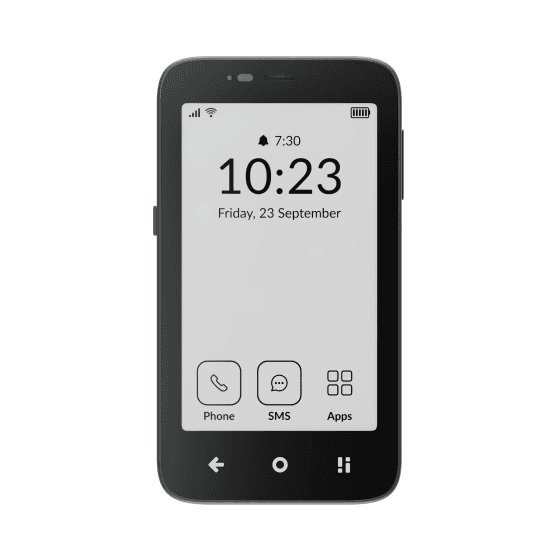 Mudita Kompakt
 Kindle Scribe
 Smiling Mind
 Opal
Opal Balance
 Homie
Homie